If your OneBlade is not working, the troubleshooting tips below may help you find a solution.
We recommend that you follow the steps in the order listed below. In between steps, check to see if the issue is resolved before moving to the next.
My Philips OneBlade is not working
Published on 09 March 2023
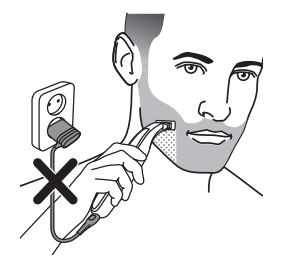
1. Unplug the OneBlade from a power source.
For safety reasons, the Philips OneBlade only works cordless. Check if your OneBlade is plugged into an electric socket. If yes, then try unplugging it and turning it on again. It should work now.
2. Charge the OneBlade.
It is possible that your OneBlade is not charged properly. To charge your OneBlade, simply follow our instructions below.
- Switch off your OneBlade.
- Insert the charging cable into the socket at the bottom of your OneBlade and plug in the charger in any 120V AC power outlet. Make sure that you use the original Philips adapter to charge your OneBlade.

3. Clean or replace the blade.
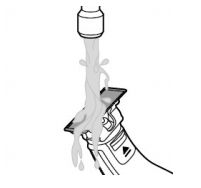
Check if the blade is clogged with hair or shows signs of wear and tear. If it is blocked, try rinsing or soaking it in lukewarm water until all the hair and dirt has been removed. Be careful not to tap your blade against a hard surface like the sink, as this can damage it.
If the blade looks damaged, please replace it immediately. To buy new blades for your Philips OneBlade, visit our online shop.
If the blade looks damaged, please replace it immediately. To buy new blades for your Philips OneBlade, visit our online shop.
4. Deactivate the travel lock.
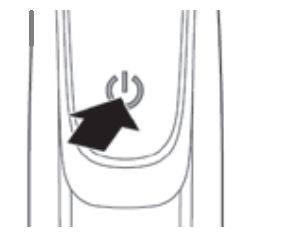
Some OneBlade models have a "travel lock". If this is activated, the device will not turn on. Press the on/off button for 3 seconds to deactivate the travel lock.
If your OneBlade model has a digital display, a padlock symbol will appear on the display when the travel lock is activated.
If your OneBlade model has a digital display, a padlock symbol will appear on the display when the travel lock is activated.
Are you still having issues with your OneBlade?
If none of these tips helped, your OneBlade may be damaged internally. We recommend that you request a repair or exchange for your OneBlade.

